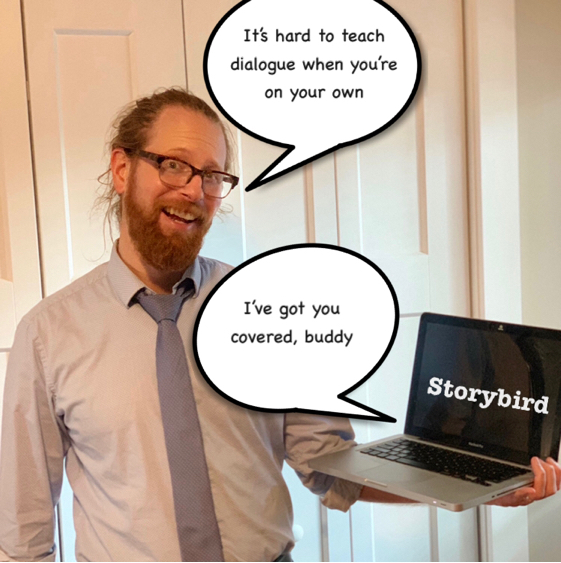
Description of Class and Students
I am not currently teaching in a classroom, so this part is a bit difficult. I will base my teaching on an average class from a nearby middle school, Valley Springs Middle School in Arden, NC. This is an area of Buncombe County just outside Asheville. The average class size at Valley Springs is 25 students. About 66% of the students are reading at grade level, which is slightly above the state average of 57% (North Carolina School Report Card, 2017). About half the students receive free or reduced school lunches (Public School Review, n.d.). It is probably unfair to assume at home internet access for the students, and as such, unfair to assume students have full computer literacy. As such, my lesson will cater to students who may or may not know their way around the internet.
Content Standard
NCSCS.ELA-Writing.W.7.3.c Use narrative techniques, such as dialogue, pacing, and description, to develop experiences, events, and/or characters.
Lesson Idea
Because there is so much to work through with this standard, I will focus solely on writing dialogue, both its proper usage and its function in fiction and creative non-fiction. In addition to my own knowledge base, I consulted web-based references by The Teacher’s Studio (2017), Metropolitan Community College (n.d.), and Beth Hill (2011).
For this lesson I will rely on Storybird, a website that allows users to create picture books. Storybird provides a large library of visual art from which users may draw inspiration when pairing with their self-created text. I have created a Storybird book that teaches dialogue while simultaneously demonstrating these teachings. Additionally, I have used Storybird to create an activity for students to demonstrate their understanding of the teaching.
Storybird and Its Use
Storybird strikes me as an excellent tool for students who have minimal fluency with computers/internet/technology. I found it to be immediately accessible and user friendly. In other words, it just sort of does what you expect it to do and the learning curve is minimal. The art/image aspect of the application, “allows students to focus more on the content of their writing rather than drawing pictures” (Thonghatta, kittichartchowalt & Kittisunthonphisar, 2016, p. 42). In other words, the art provides easy inspiration and the students can take off from there. What I found interesting about Storybird is that, from a teacher’s perspective, it can function as a sort of PowerPoint for a younger set. As an educator, I was able to produce content that relayed information in a slide-by-slide like manner, but basing it in a picture book format made it more easily digestible. What is also beneficial about Storybird is that I can create a starting point and have my students run with it from there, it “Requires minimal teacher preparation and allows them to easily create individual user accounts for students. With that, teachers can view all story books that students are making,” (Menzes, 2012, p.299). Utilizing Storybird, I can set the students on their way and see what they come up with.
Storybird is also a good fit for teaching rules and functions of dialogue, particularly as they relate to the content standard (NCSCS.ELA-Writing.W.7.3.c). As is demonstrated in my detailed lesson plan below, Storybird allows me, as a teacher, to simultaneously teach rules of dialogue while showing their application in an actual story. This prevents the theory (boring stuff) from being divorced from the real application (more interesting stuff) and, as a bonus, it is continually enhanced by entertaining illustrations (the spoonful of sugar that helps the medicine go down). These illustrations, provided by the site and easily integrated, require minimal additional effort on my part. Again, as demonstrated in my detailed lesson plan below, I am seamlessly and efficiently able to show how dialogue develops characters (page five) and events (page six) in narrative writing. But what I found additionally useful about Storybird was that the art/illustrations provided a jumping-off point. They made it easier to write a story about dialogue usage because I had an image to write to and was not crating the lesson/narrative passage whole-cloth.
Further, for the student activity portion of the Storybird, the technology allows me to create an open-ended, unfinished book in which the first page lays out the rules of the assignment. The students, using my educator account, can each build their own Storybird from there as the application, “also facilitates the transition from teacher-centred, class-based learning to one in which the pupil begins to acquire individual responsibility” (Manzes, 2012, p.300). Again, with the inclusion of art/images (from a Storybird library I, as the educator, hand selected for its creative potential) should provide the students a nice jumping-off point and a bit of inspiration when demonstrating their knowledge of dialogue usage and functions. Further, as all students will be working under my educator account, they will have access to my original Storybird for reference during their work. Thanks to the simple and intuitive Storybird interface, minimal if any class time will need to be devoted to teaching the technology. This is important because, “When integrating technology, the purpose of this integration should be on enhancing and supporting student learning rather than using a particular technology” (Hamilton, Rosenberg & Akcaoglu, 2016, p.438).
My Storybird
If you have a Storybird account, my book can be accessed via the link. Otherwise, I have recreated it below.
https://storybird.com/picture-book/an-illustrated-guide-to-how-and-why-we-use-di
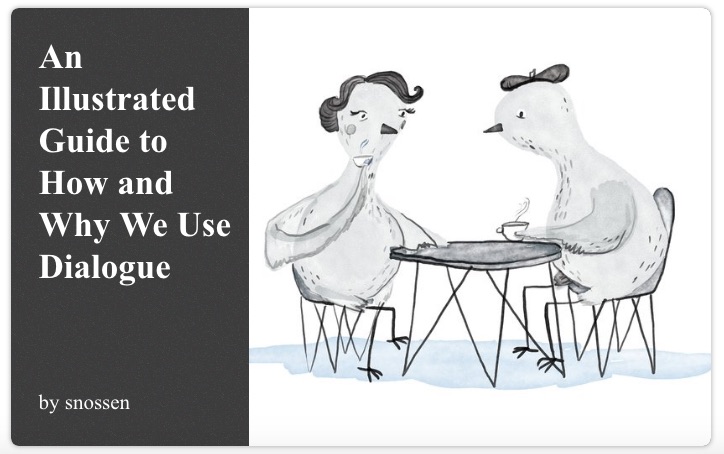
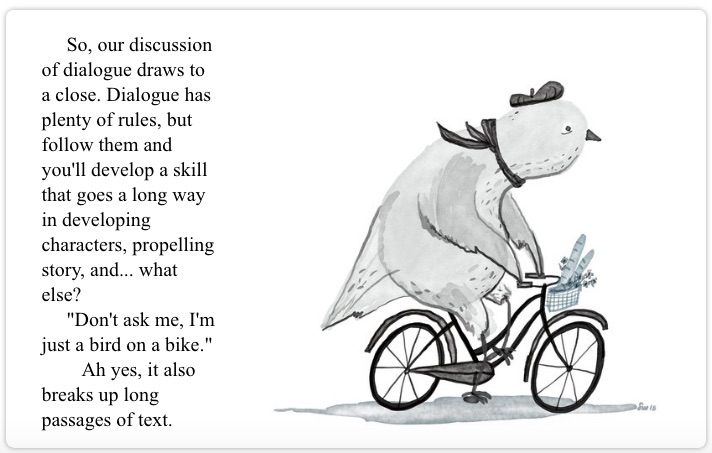
If you have a Storybird account, my student activity can be accessed via the link. Otherwise I have recreated it below
https://storybird.com/picture-book/writing-with-dialogue-give-it-a-go
Lesson Plan
Subject: English Language Arts/7th Grade
Materials: Laptop connected to projector/large monitor, individual laptops or tablets for students, internet connection and an educator’s account with Storybird
Lesson Objective(s): After viewing and discussing the teacher’s Storybird on the topic of dialogue, I will be able to successfully create a short narrative that both uses dialogue correctly and showcases its function.
Opening:
The class will open with the Storybird already queued-up to the cover page and displayed via projector or monitor at the front of the classroom. The reason for having the Storybird already up at the beginning of class is twofold. First, this cuts downtime/troubleshooting that is inherent to teaching with technology. Second, this piques the students’ interest, giving therm a visual to look at and wonder about.
I will ask the class the question, “Why do we talk to each other?”
Again, the function of this question is twofold. First, it gets students thinking about the topic of dialogue in a real-world fashion before we delve into dialogue in literature. Second, a bit of full-class discussion is intended to let the students get some chatter/energy out before the need to settle down for the lesson.
Throughout this 5-10 minute discussion, I will call on students and record their answers on a white board next to the monitor displaying the Storybird. Probable student answers include: “communication,” “telling stories,” “explain our feelings,” “because it’s fun,” “give warning.” With the warm-up exercise complete, I will commence the lesson.
Lesson:
The meat of the lesson will revolve around my Storybird (all pages displayed above). I will read each page, covering first the proper usage of dialogue , then its functions. In this way the Storybird acts as a sort of PowerPoint presentation for a younger and more easily distracted set. Instead of bullet points covering theory, I have loose narratives and scenes in which characters demonstrate the importance of dialogue via the use of dialogue. Additionally, the artwork should provide something a little more appealing and engaging than the standard clip-art found in a Powerpoint presentation. This lesson sits squarely in the technological content knowledge piece of TPACK, as I use my understanding of this particular technology to relay the necessary content my students require to achieve the standard. Utilizing Storybird demonstrates, “technological tools can provide a greater degree of flexibility in navigating across these representations” (Koehler, Mishra & Cain, 2013, p.16 ).
While covering each page of the Storybird, I will provide additional explanation on the particular rule/function of dialogue displayed, as well as provide instruction on related rules and topics.
While working thorough my Storybird, I will make a point to stop for topic-specific questions at the conclusion of each page. Some of these dialogue rules can be tricky at first, if not a little ridiculous and I want to be sure the students have a solid grasp of it all.
Below, I explain how I plan to navigate each particular page in greater detail.
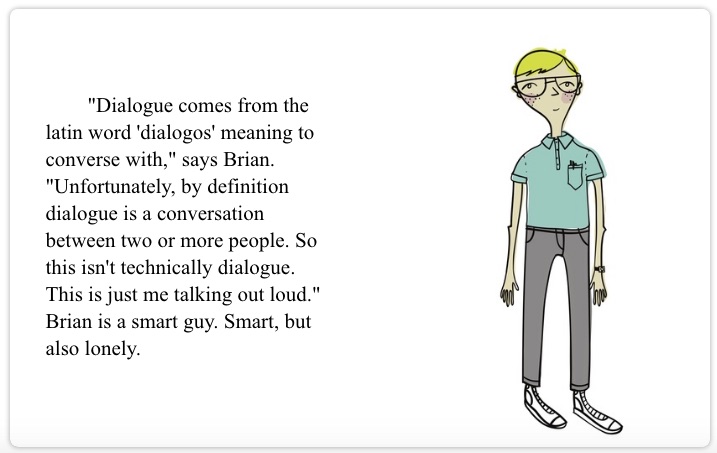
-Page one (what is dialogue): Dialogue is when two or more people talk. This occurs in books, movies, plays, television shows. For our lesson, we’re focusing specifically on written dialogue, particularly what you see in novels and short stories. Dialogue consists of all the words between the opening and closing quotations marks. You can see this on the page with Brian. But as Brian explains, what he’s doing is not technically dialogue, since he is not talking to anybody in particular. So this first page is already throwing a bit of a curveball, but it also introduces a similar topic: monologue. Monologue is a discourse by a single speaker. However, that’s pretty much the main difference, and all the rules and functions of dialogue we are about to cover apply to monologue as well.
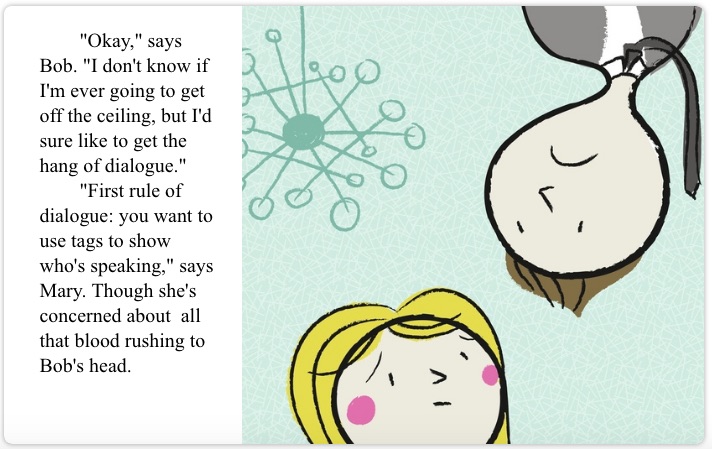
-Page two (dialogue tags): Dialogue tags are a straightforward way of show who is speaking. In other words to whom the passage contained in quotation marks is attributed. In this example, the first word, “Okay,” is attributed to Bob, and we know this because it’s followed by “says Bob.” So this is how dialogue tags usually work: you have the a noun, (such as “Bob” or perhaps “the police officer”), or a pronoun (such as “you” or “he”), and then the verb (usually “said” or “says,” but other ways of talking work too, such as “yelled,” “babbled,” or “whispered”). For the most part, you’re going to want to always use dialogue tags, it makes it easy and obvious to identify the speaker. However, in some circumstances you can avoid them altogether. This only works when the speaker is obvious. When do we obviously know who the speaker is? It’s all about context. For example, if there was one more line of dialogue at the end of this page reading, “Wow…I feel woozy.” Who would that be? We would know it was Bob talking because we already have context: Mary is worried about blood rushing to Bob’s head.
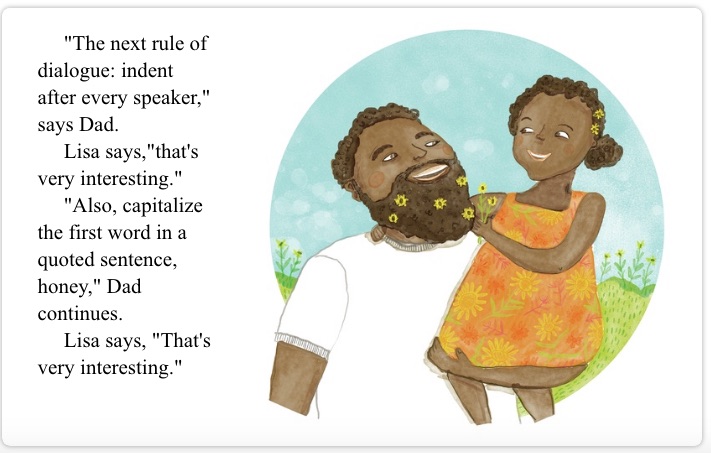
-Page three (indentation and capitalization): After each speaker finishes his or her dialogue, this is considered the end of a paragraph. And what do we do after a paragraph? We start a new paragraph on the next line and with an indentation. As you can see on this page it doesn’t matter whether the next line begins with dialogue or not, we still indent and treat it as a new paragraph. Additionally, the first word of each quoted sentence is capitalized, it doesn’t matter if it is the first word of the actual sentence or not. Notice the first time Lisa speaks. Since she doesn’t know this rule yet, “that’s” isn’t capitalized. Looks kind of funny, doesn’t it? Later, Lisa has learned the rule and we get the same sentence repeated, but properly now. “That’s” is capitalized, even though it isn’t the actual first word in the sentence (“Lisa” would be the actual first word in the sentence). Here is another tricky rule for formatting your dialogue: Periods and commas stay within the quotation marks. When do you use each? You use periods when the end of the dialogue is also the end of the whole sentence. Look at the last line spoken by Lisa, “That’s very interesting.” This ends in a period, as it is the the end of the whole sentence (the whole sentence being “Lisa says, ‘That’s very interesting.’”). Look at the previous sentence, spoken by Dad (“‘Also, capitalize the first word in a quoted sentence, honey,’ Dad continues.”). The completion of his dialogue, although the end of his sentence, is not the end of the whole sentence, so his dialogue end with a comma.
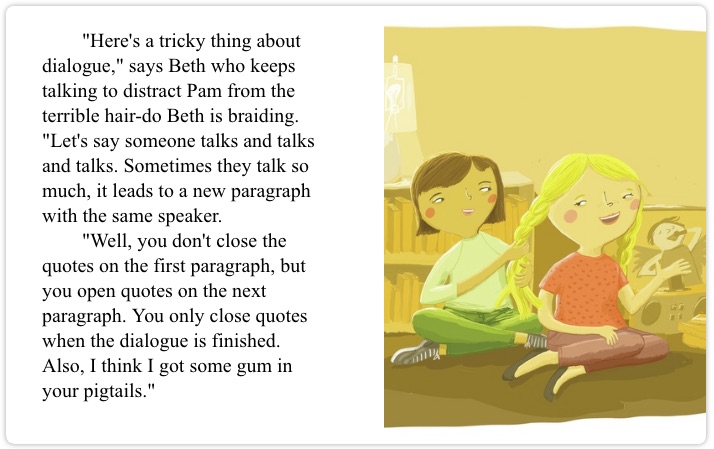
-Page four (dialogue over multiple paragraphs): So, here’s a dialogue rule that you might see more often in monologue, as we discussed earlier. Just as in normal text, dialogue (or monologue) can be divided into paragraphs with one continual speaker. As you see, Beth continues talking on and on until it’s time for a paragraph break, even though there’s no action or description or dialogue from Pam to break up Beth’s speaking. And this new paragraph works mostly the way any new paragraph would work: start a new line, and indent. The big difference here: we have to account for being in the middle of Beth’s quote. So what we do, we do not add closing quotation marks on the first paragraph, but we add a new set of opening quotation marks at the beginning of the second paragraph? Why? Well, no good reason really. Other than grammar is tricky and we need some way to show Beth has continued to speak, uninterrupted. And while we’re on the topic of weird and tricky dialogue rules, here’s something: what do we do when we have dialogue, within the dialogue? For example, what if Beth says, “The last time I did your hair Pam, you said, ‘Wow, this looks fantastic!’”? In this case beth is speaking, it’s her dialogue, but she is quoting Pam within it. That dialogue within the dialogue (the “Wow, this looks fantastic!”) isn’t given traditional quotation marks, it’s given an apostrophe to open it and an apostrophe to close it. Why? Maybe because apostrophes are like half-quotation-marks and dialogue-within-dialogue is like a half-quotation…or maybe again because grammar is tricky and we just need some way to distinguish the internal quote from the main quote.
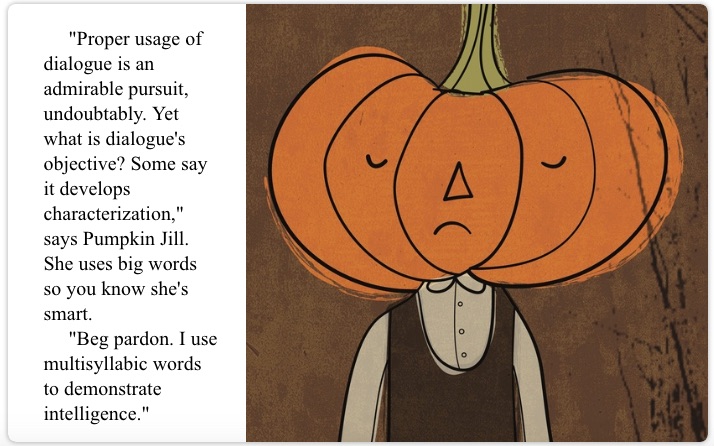
-Page five (characterization): So, now we get away from all the grammatical rules of dialogue (gross, I know), and into the fun stuff: all the cool things you can do with dialogue. One major function of dialogue, it develops characterization. Because of what our character says, and how he or she says it, we are able to learn a lot about them. So, I would bet that even if this page didn’t tell you Pumpkin Jill uses big words to show she’s smart, I bet you’d still pick that up. We have a character saying, “Proper usage of dialogue is an admirable pursuit, undoubtably.” In your head you almost have read that in a British accent. You picture, maybe ten feet behind Pumpkin Jill, there’s a big bookshelf filled with fancy, leather-bound books. This is a character who is either very learned, or wants to give the impression she is very learned. But there’s nothing in that first sentence about studying, or doing well on IQ tests. The way the dialogue is written, you’re shown she’s intelligent, without being told she’s intelligent. So, some other ways we can use dialogue to show characterization: characters can speak in a dialect. For example, maybe you have a character from the midwest, and they order a “pop” instead of a soda. This is a tricky one because if you’re not completely familiar with a dialect, you as the writer can come across looking foolish. In my opinion, it’s usually best to steer clear of this one. Another way to show characterization in dialogue is to use speech patterns. For example, you could have a character say, “Uh…uh…uh…” a lot, and this would be a way to demonstrate the character is nervous without coming out and saying, “Frank was a nervous man.”
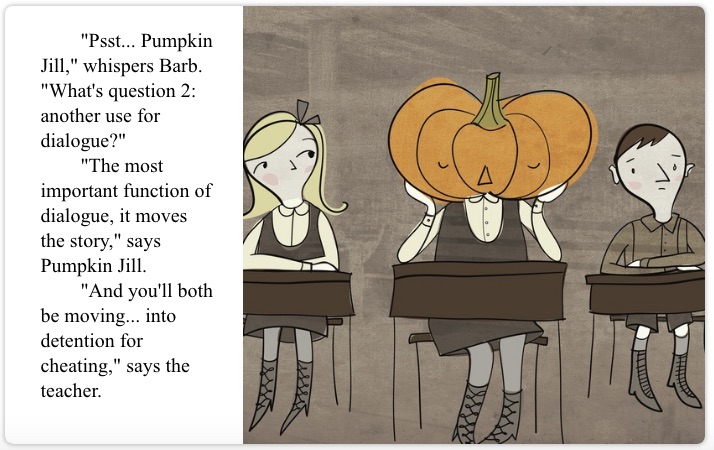
-Page six (moving the plot): So, this might be the most important function of dialogue: moving the story forward. You know this is true, because Pumpkin Jill says so right there, and as we established on the previous page, Pumpkin Jill is very intelligent. Using the example on this page, how does dialogue move the story forward? Even in just three lines of dialogue, we’ve created a conflict here. Barb asks Jill for the answer, jill provides it, and the teacher busts them for cheating on the quiz. So, this could be the setup to all sorts of stories. Maybe the story is about how Barb and Jill’s friendship deteriorates because Jill resents Barb for getting in trouble. Maybe the story is about a crazy adventure the two of them have while serving detention. Either way, both those stories are set into motion by the three lines of dialogue on this page. And I’ll tell you this, it’s a much more interesting and enjoyable way to set those plots into motion than by simply writing, “Barb and Jane cheated on a quiz. They got caught. They were sent to detention.” Gross. That is boring and it doesn’t feel alive or real the way the three lines of dialogue on the page feel alive and real.
-Page seven (breaking up long blocks of text): What this all boils down to: dialogue is fun. It’s fun to read dialogue. It should be fun to write dialogue too. It’s useful, because you can accomplish a lot with a little (as we discussed, you can both move the plot forward and develop characters at the same time), but it’s also fun. And because of this, it’s often worthwhile tossing in a line of dialogue to break up long passages of description or action or what-have-you. Let me read you a quote from one of my favorite authors on the subject, “Think of what you skip reading a novel: thick paragraphs of prose you can see have too many words in them. What the writer is doing, he’s writing, perpetrating hooptedoodle, perhaps taking another shot at the weather, or has gone into the character’s head, and the reader either knows what the guy’s thinking or doesn’t care. I’ll bet you don’t skip dialogue” (Leonard, 2001, para. 23). Dialogue is great stuff, and you can create great stuff with it.
Activity:
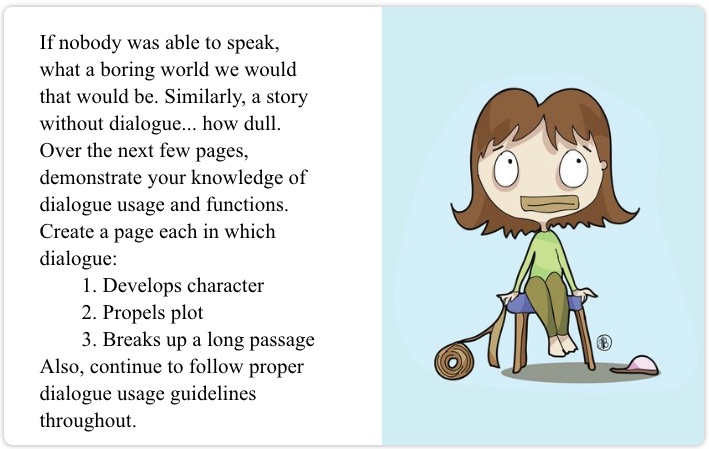
Students will turn to their laptops/tablets and log into the class Storybird account created under my educator profile. Here, I have begun a second Storybird (also displayed above). My intention is that each student completes his or her own version in order to demonstrate proficiency in dialogue. Instructions are included on the first page (after the title page) and I made sure to pick a collection of art assets that seemed fun and would provide the students many creative jumping-off points.
Students are tasked with creating three pages, each with an art asset chosen from the library I selected. The first page is to demonstrate characterization, the second page should propel a plot, and the third should use dialogue to break up a long passage of text.
While students work through the activity, I will roam the class offering suggestions or providing pointed questions (“What aspect of the character do we see in this line of dialogue? How? What can you do to make this more apparent?”), on a one-on-one basis. Additionally, I will assist with any technological troubleshooting needs (though Storybird is a very user-friendly platform).
At the end of the class, all student Storybirds will be saved to my educator account. I will review them to discern any areas of uncertainty or confusion. The following day, I will begin my class with a mini-lesson addressing the concepts students struggled with or diving deeper into areas in which they showed particular interest.
Media Integration Using This Hypothetical Classroom
Again, it is difficult to apply this Storybird lesson to an actual classroom while I’m working off a sort of hypothetical class. I feel this lesson plan will work well as it is developed with students who have minimal technological means in mind. I was able to pick up Storybird quickly and run with it. Yes, I watched a few YouTube tutorials on the topic, but they weren’t really necessary. Storybird is easily learned via point-and-click usage. Also, the “lesson” part of this lesson doesn’t require any technological know-how on the part of the students, it merely asks them to pay attention to my Storybird. The activity does require them to work with the technology, but again, it’s very user friendly. Also, I envision this as an in-class activity so I will be on hand to help students through any “bumps” in the process.
References
Great Schools.org: Valley Springs Middle School. (n.d.). Retrieved from https://www.greatschools.org/north-carolina/arden/332-Valley-Springs-Middle/#Low-income_students*Test_scores*Reading
Hamilton, E.R., Rosenberg, J.M., & Akcaoglu, M. (2016). The Substitution Augmentation Modification Redefinition (SAMR) Model: a Critical Review and Suggestions For Its Use. Tech Trends, 60, 433-441. doi: 10.1007/s11528-016-0091-y
Hill, Beth. (11 February, 201). Dialogue–The Speech of Fiction. Retrieved from https://theeditorsblog.net/2011/02/11/dialogue-the-speech-of-fiction/
Koheler, M.J., Mishra, P., & Cain, W. (2013). What is Technological Pedagogical Content Knowledge (TPACK)? Journal of Education, 193:3, 13-19. doi: 10.1177/002205741319300303
Leonard, Elmore. (16 July, 2001). Writers on Writing; Easy on the Adverbs, Exclamation Points and Especially Hooptedoodle. The New York Times. Retreived from https://www.nytimes.com/2001/07/16/arts/writers-writing-easy-adverbs-exclamation-points-especially-hooptedoodle.html
Menezes, Helena. (2012). Using Digital Storytelling to Improve Literacy Skills. International Conference on Cognition and Exploratory Learning in the Digital Age, Madrid, 2012. Retrieved from https://files.eric.ed.gov/fulltext/ED542821.pdf
Metropolitan Community College. (n.d.). Rules for Writing Dialogue. Retrieved from https://mcckc.edu/tutoring/docs/br/english/Rules_for_Writing_Dialogue.pdf
North Carolina School Report Cards: Valley Springs Middle School. (2017). Retrieved from https://www.buncombeschools.org/common/pages/DisplayFile.aspx?itemId=4907362
North Carolina Standard Course of Study. English Language Arts Standards. Writing: Literature. Grade 7. NCSCS.ELA W.7.3.c
Public School Review: Vally Springs Middle School. (n.d.). Retrieved from https://www.publicschoolreview.com/valley-springs-middle-school-profile
The Teacher Studio. (28 February, 2017). Teaching Dialogue and Why it’s so Important! Retrieved from https://theteacherstudio.com/teaching-dialogue-and-why-its-so/
Thonghatta, M., Kittichartchaowalit, K., & Kittisunthonphisarn, N. (2017). Effects of Using Storybird to Enhance Creative English Writing Ability of Mathayomsuksa III Students.The International Journal of Management and Applied Sciences, 3:1, 6-9. Retrieved from http://www.iraj.in/journal/journal_file/journal_pdf/14-340-14892067836-9.pdf
Valley Springs Middle School. (n.d.). Retrieved from https://vsms.buncombeschools.org/
Image References
Art Thingies. (2019). Picture of woman with pen and paper and wild surroundings. Imagination. Retrieved from https://storybird.com/artshop/art-thingies
Nossen, Scott. (2019). Picture of man talking to laptop. Man Talks to Laptop. Original Content
Art Thingies. (2019). Picture of woman with tape over her mouth. Say Nothing at All. Retrieved from https://storybird.com/artshop/art-thingies
Wedelich, Sam. (2019). Picture of birds sitting at a table. Pigeons at Coffee. Retrieved from https://storybird.com/artshop/dwell-deep
Wedelich, Sam. (2019). Picture of a boy with glasses. Geek. Retrieved fromhttps://storybird.com/artshop/dwell-deep
Wedelich, Sam. (2019). Picture of upside down man and right side up woman . Frown. Retrieved fromhttps://storybird.com/artshop/dwell-deep
Wedelich, Sam. (2019). Picture of man with flowers in beard and young girl. Dad. Retrieved fromhttps://storybird.com/artshop/dwell-deep
Wedelich, Sam. (2019). Picture of two girls braiding hair. Study Group. Retrieved fromhttps://storybird.com/artshop/dwell-deep
Wedelich, Sam. (2019). Picture of girl with a pumpkin for a head. Pumpkin Girl. Retrieved fromhttps://storybird.com/artshop/dwell-deep
Wedelich, Sam. (2019). Picture of girl with a pumpkin for a head in class. At School. Retrieved fromhttps://storybird.com/artshop/dwell-deep
Wedelich, Sam. (2019). Picture of a bird on a bike. Pigeon Runs Errands. Retrieved fromhttps://storybird.com/artshop/dwell-deep
 Nossen_CI5630_Final Project EPortfolio